

Last updated: October 2026
Quick Takeaways
- An API integration connects software applications so they can exchange data and trigger actions automatically.
- APIs allow applications to communicate through defined rules, requests, and responses.
- Webhooks notify another system when an event occurs, reducing the need to repeatedly check for updates.
- Common integration challenges include security, rate limits, mismatched data fields, and API changes.
- Every important integration needs an owner who can monitor it, troubleshoot failures, and maintain it over time.
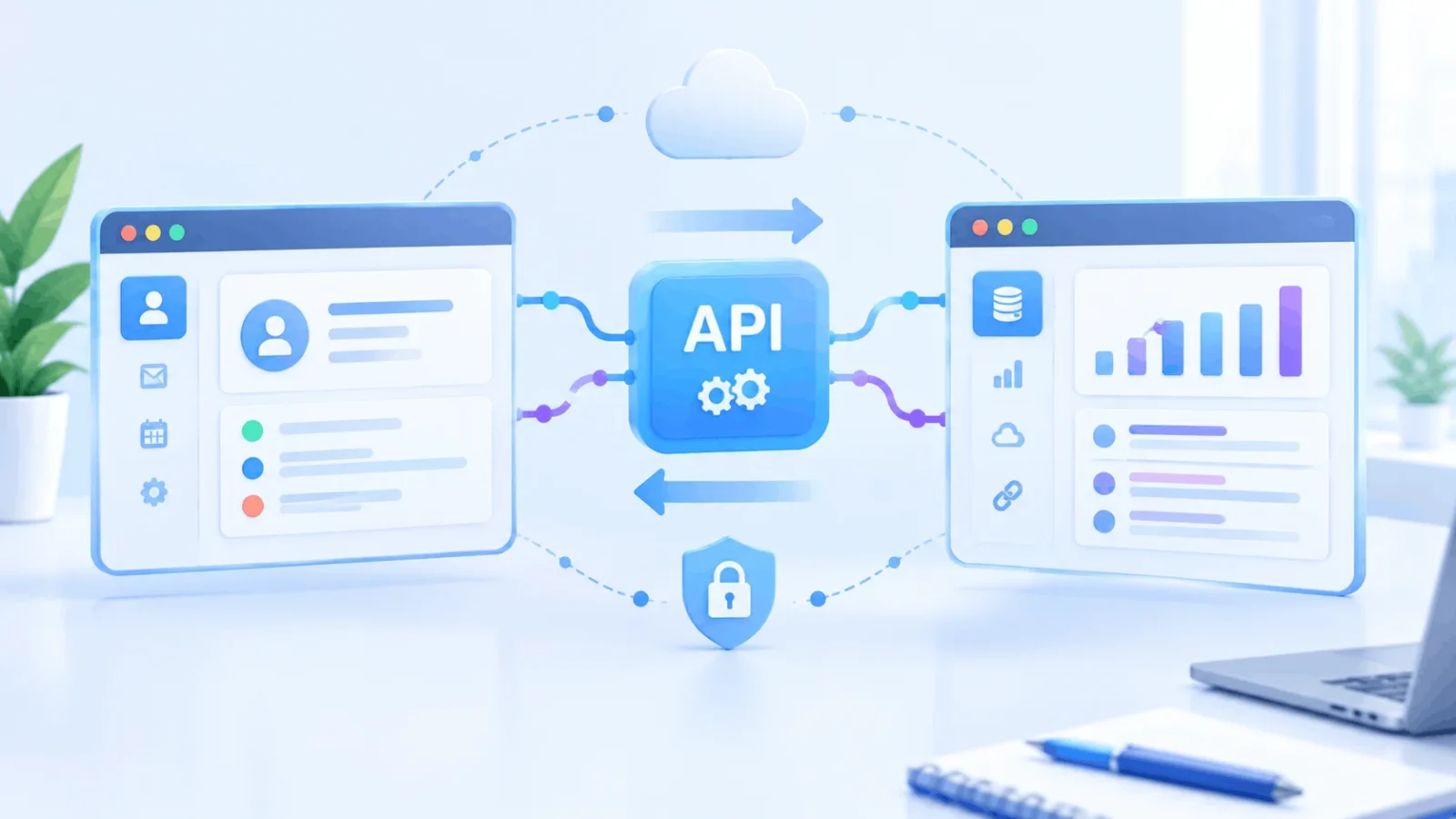
What is an API integration? It’s a connection between software applications that allows them to share data and trigger actions without requiring someone to copy information manually. API stands for application programming interface. It describes the rules and methods one application makes available so other software can interact with it. An integration uses those capabilities to connect applications and coordinate their work.
For example, a website form might send each new enquiry directly to a customer relationship management system (CRM), where a salesperson can follow up.
This guide explains how API integrations work in practice, what businesses use them for, and what to consider before setting one up. It focuses on practical concepts rather than writing code or configuring a specific API.
What Is an API Integration, in Plain Terms?
An API integration is a working connection that uses application programming interfaces to exchange information or trigger actions between software systems.
The API and the integration are not the same thing. An API defines how an application can be accessed by other software. The integration is the connection built around that interface, including which information moves between systems, when it moves, and what happens afterward.
You encounter integrations in everyday workflows. A payment confirmation might update an order, a calendar application might synchronize events, or a website enquiry might create a new customer record. In each case, software exchanges information to reduce manual work.
An integration can connect two applications directly or use a third-party integration platform to coordinate several systems. The best approach depends on the applications involved, the complexity of the workflow, and the level of control required.
How Does an API Integration Work?
A common API integration works by having one application send a request to another application’s API, which processes the request and returns a response. The exact process varies depending on the API and the type of integration.
A typical request-based integration follows these steps:
- A trigger occurs. Someone submits a form, an application records a new order, or a scheduled task starts.
- A request is sent. The first application sends a request to an API endpoint. For example, a GET request commonly retrieves information, while a POST request commonly submits information or creates a resource.
- Credentials and permissions are checked. The receiving system uses an appropriate authentication method, such as an API key or an OAuth-based flow. Authentication verifies who or what is making the request, while authorization determines which information or actions it is permitted to access.
- Data is mapped and validated. The integration matches fields between applications and checks that the information has the expected format.
- The result is handled. The receiving application returns data, a confirmation, or an error. The integration then takes the appropriate next step, such as updating a record, logging the problem, or retrying a failed request where supported.
Data mapping can be one of the more challenging parts of an integration. One application might store a person’s full name in a single field, while another keeps first and last names separately. The integration needs rules for handling that difference.
Not every integration follows this exact sequence. Webhook-driven workflows, for example, begin when one system sends an event notification, while queued integrations may process information asynchronously.
If you’re familiar with a rule in an email application that performs an action when a condition is met, the basic idea is similar. An API integration applies comparable logic across separate applications rather than within a single application.
What Is a Webhook, and How Does It Differ From Polling?
A webhook is an automated notification sent by one system when a particular event occurs. It allows another application to receive updates without repeatedly asking whether something has changed.
Polling works differently. One application checks another at regular intervals, asking whether new information is available. With a webhook, the source system sends a notification when a subscribed event occurs.
For example, an online payment service might notify a store when a payment succeeds. The store can then update the order status or start its fulfilment process.
Quick comparison
| Method | Best for | Main benefit | Main limitation |
| Polling | Simple, periodic checks | Straightforward to implement | Can create unnecessary requests and delay updates |
| Webhooks | Event-driven updates | Timely notifications without repeated checks | Requires a reachable receiving endpoint and suitable delivery-failure handling |
| Scheduled batch sync | Large, non-urgent data transfers | Predictable processing schedule | Information may remain outdated until the next run |
Webhooks are often more efficient when updates need to happen soon after an event. However, delivery is not automatically guaranteed. Depending on the provider, a reliable setup may need request verification, retry handling, duplicate-event protection, and monitoring.
For an overview of webhook delivery and security considerations, see PayPal’s webhook documentation.
What Are Common Examples of API Integrations?
Common API integrations connect customer management systems, payment services, accounting applications, forms, databases, and messaging tools. They allow information entered in one place to support work elsewhere.
Here are four examples:
- CRM and email or calendar: logging messages and meetings against a customer record. If you’re new to that tool, what CRM software is and how it works explains the system these connections feed.
- Payments and accounting: A successful payment can trigger a transaction record or help reconcile an order with accounting information.
- Forms and databases: A website enquiry can automatically become a lead record instead of requiring someone to enter it manually.
- Messaging and alerts: An event in one application can trigger a notification in another, helping a team respond to important changes.
Integrations can be one-way or two-way. In a one-way integration, information moves from one application to another. In a two-way integration, changes may be synchronized in both directions.
Two-way synchronization needs careful planning. If the same record changes in both systems, the integration must have a way to handle conflicting updates and avoid overwriting useful information.
What Are the Benefits and Risks of API Integration?
API integrations can reduce manual data entry, improve consistency across applications, and automate repetitive workflows. Their reliability depends on secure access, appropriate error handling, and ongoing maintenance.
The main benefits include:
- Less repetitive work: Teams spend less time copying information between applications.
- Faster workflows: Actions can begin automatically when a relevant event occurs.
- More consistent records: Properly configured integrations can reduce differences between systems.
- Better visibility: Connected applications can share information that helps teams understand orders, customers, or business activity.
However, integrations also introduce responsibilities.
- Security: Give each integration only the permissions it needs, protect credentials, and review access periodically.
- Maintenance: Providers may change, deprecate, or retire API endpoints. Someone needs to monitor relevant updates.
- Rate limits: An API may restrict the number of requests permitted within a particular period. The integration should handle those limits appropriately.
- Data mapping: Different field names, formats, and validation rules can prevent information from transferring correctly.
- Errors and interruptions: Temporary network failures, expired credentials, or invalid data can interrupt a workflow.
One often-overlooked risk is unclear ownership. An integration might stop working because a credential expires or a field changes, yet nobody notices until a customer or colleague reports a problem.
Assigning a responsible owner, recording important failures, and setting up appropriate alerts can help prevent small issues from becoming long-running problems.
How Do You Plan an API Integration?
To plan an API integration, identify the problem it should solve, decide what information needs to move, choose the trigger, and test the workflow before relying on it.
Use these steps as a starting point:
- Define the problem. Identify the manual task or delay you want to remove. Be specific about the outcome the integration should produce.
- List the data fields. Decide which information must move between applications and how each system represents it.
- Choose the direction. Determine whether information should flow one way or whether both systems need to exchange updates.
- Select the trigger. Decide whether the workflow should run after an event, on a schedule, or following a manual action.
- Check access and limits. Review authentication, permissions, rate limits, and any relevant restrictions imposed by the providers.
- Test with representative records. Check successful requests, missing information, invalid data, and temporary failures before enabling the workflow for regular use.
- Assign ownership. Decide who will monitor the integration, respond to failures, maintain credentials, and review changes.
Before building a custom integration, check whether the applications already offer a built-in connector or supported integration platform. A ready-made connection may cover your needs without requiring you to maintain custom code.
Custom development can still be appropriate when the workflow has special requirements, the available connectors lack important features, or the business needs more control over how data is processed.
Quick Answers
What is an API integration in simple terms?
It’s a connection that lets software applications exchange information or trigger actions automatically through their APIs.
Is an API the same as an API integration?
No. An API defines how software can interact with an application. An integration uses that interface to connect applications and coordinate a workflow.
Do I need to code to build an API integration?
Not always. Built-in connectors and no-code integration platforms can handle many common workflows. Custom requirements may need a developer.
What is a webhook?
A webhook is an automated notification sent when a specified event occurs. It allows another system to react without repeatedly checking for updates.
Why do API integrations break?
Common causes include expired credentials, changed data fields, rate limits, network interruptions, and API changes. Missing monitoring can make these problems harder to detect.
Are API integrations secure?
They can be secure when implemented properly, but security depends on factors such as access permissions, credential protection, encrypted connections, request validation, and ongoing maintenance.
Is an API Integration Worth Setting Up?
If your team repeatedly enters the same information into different applications, an API integration may save time and reduce errors. It can also help connected systems respond to events more quickly and keep important records aligned.
The right approach depends on the workflow, the applications involved, and the consequences of a failure. A simple connector may be sufficient for a routine task, while a more complex integration may need custom logic, testing, and monitoring.
Before setting one up, decide what information should move, how the systems should communicate, and who will maintain the connection. A simple, well-monitored integration is usually more useful than a complicated workflow nobody owns.
